Flowing objects on a Revolved Surface (Moi3D V3)
I'm now starting to play around with V3 Beta's Flow command, and I tested a theory today:
Yes, usually when you think of flowing objects onto a revolved surface
like a cylinder or sphere, you take the objects you want to flow and
place them on a simple rectangle as the reference surface.
The result is as expected - it starts the objects at the seam line and
sweeps them around like a record (axially) until it reaches the line
again.
But the flow command works by matching points in the reference surface's
"grid structure" to that, by percentage of the target's.
With that being said, why not consider matching a reference surface THAT IS ALREADY IN THE FORM OF THE TARGET?
Consider a simple revolved profile: You simply start off with a revolve profile made from a free-form spline.
Not just considering the control points, but how much distance is in
between each control point or relative control point on the surface or
curve.
- Considering the resultant U/W layout if everything was "unwrapped"
Now draw another line for the reference revolve profile, but straight
and making each control point spaced out to represent the true distance
along the target's profile curve.
Distance horizontally is considered, but remember if the curve moves
downward or at an angle or in an arc - there is a distance there too.
Represent these distances in the spacing between control points along the reference profile.
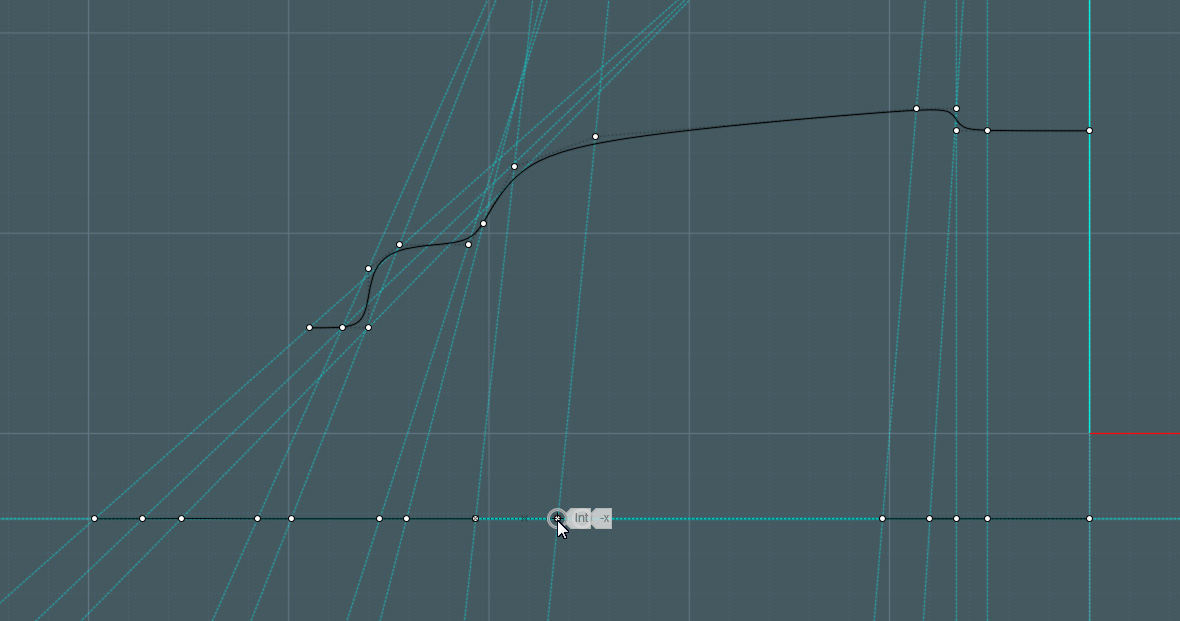
Note: Ensure that the directions and orientations of the revolves and
control profiles are in the same directions so that the Flow command
will match them as you desire.
Also: Your flat profile curve for the reference revolve has to have a
few of it's control points slightly offset from the straight line, or
Moi3D will generate a planar surface with no swept control points.
Now Revolve each profile, using the same orientation. You have a revolve
with a nice shape of your liking, and one that is relatively flat.
Take the flat-like reference revolve in a side view and make it "Flat"
using the handle bars. It will now be perfectly flat, but retain the
knots and surface information.
Now work the Flow command with the original objects on the surface or relatively spaced to the reference surface.
Since each corner of the swept surface's control cages will line up, the
original objects will be translated to the characteristic shape of the
target surface.
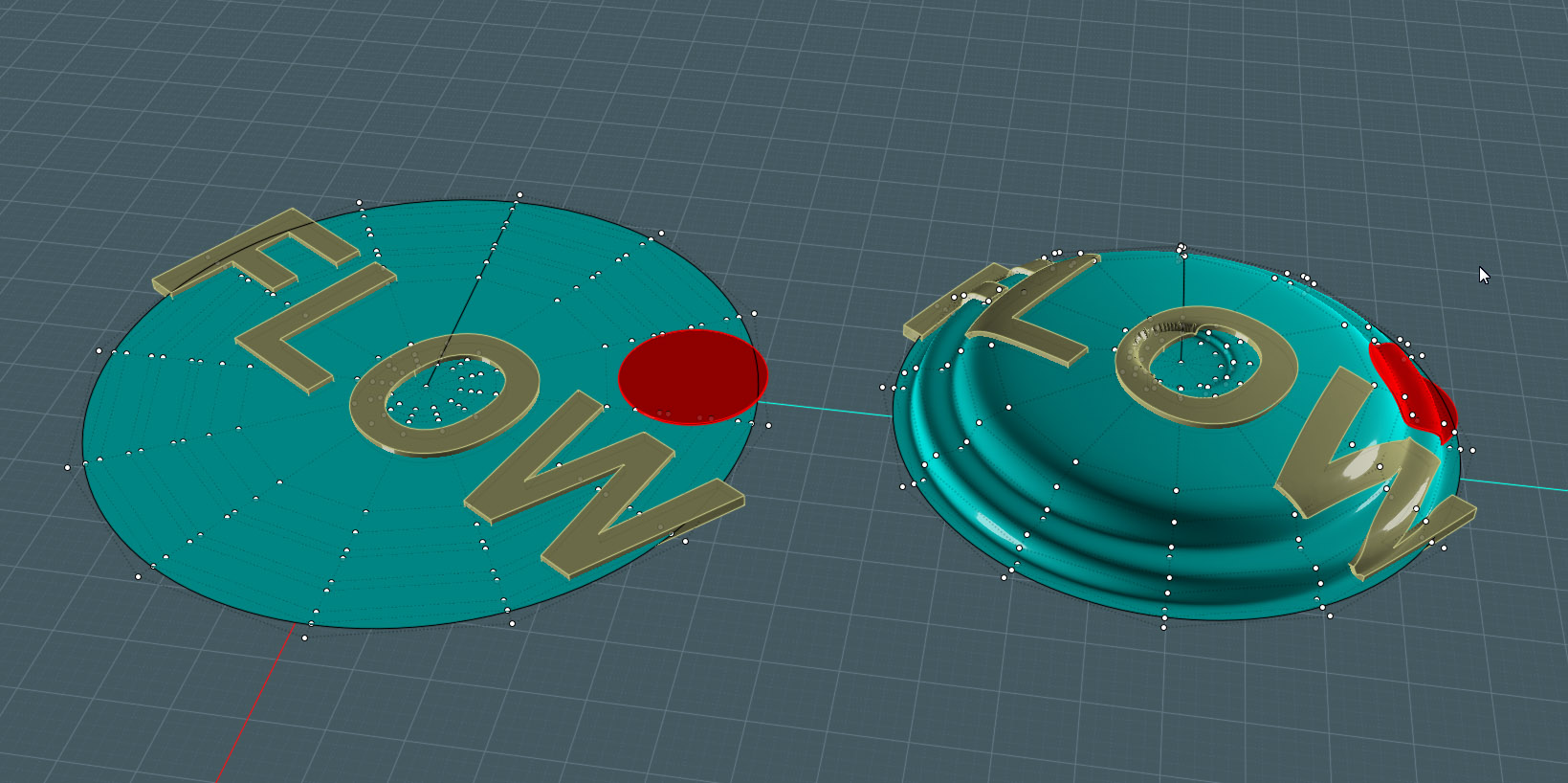
Notice how these objects are NOT sweeping in a rotational manner on the target surface!
Issues:
In this beta edition there is a problem with the flow result curves and
surfaces "rippling" as the distance increases relative to some point of
origin.
This is an issue that I think Michael said he was working on for the
next beta release. I tried the telephone chord spiral along a path thing
and got the same strange ripple that increase in severity more to one
end.
You must also consider that the Flow command does not have supernatural
powers and will flow well over seams, tight bends and the degenerated
center point on a revolve as shown above.
But it will get you in the ball park.
Also - Flow is very slow!!!!. My goal was to make a speaker
grill with well placed holes and other detail, as such would be done if a
metal sheet of grill metal was stamped into a shape.
I gave up after it sat for two hours and nothing happened... I'll take it to work and try on the faster PC.
BTW, Michael, I thought it was cute when my brother was looking at the
Task Manager's Performance graphs on the work PC - while I was working
with Moi3D, and asked me why only one of the cores was the only one
working.... Well, someday. ;-)
From what we can learn from my experiment is that there may be some
power in considering the original reference surface with the Flow
command as well as the target.
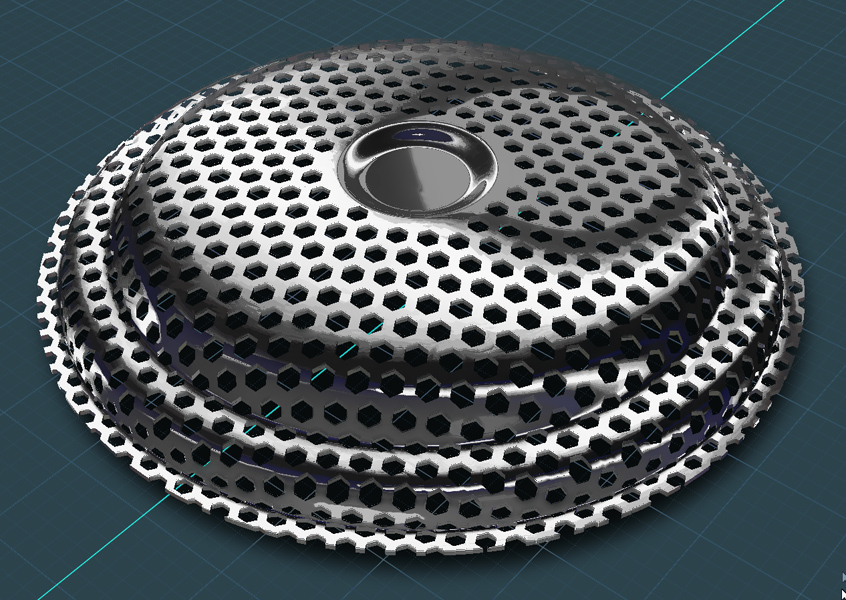
Here, I was able to wrap multiple surfaces trimmed with a pattern, around the revolved target surface.
The center was cruddy as was expected, so I did a little work on it.
The total surface took about 25 minutes in calculation time with Flow.
However, when I tried a solid version with some depth, I started last
night and when I came home tonight, there was still no result.
Which leads me to believe that for every single surface or curve, Flow
has to make a separate calculation, noting that the time seems
exponential.
I can't fathom the workings of the logarithms behind Flow, but I imagine this to be so.
Since the resultant Flow were single layer surfaces I performed a simple extrusion on them to give them a little thickness.
I could have simply trimmed the hexagons from the target shape in one
direction, but the point here was to be able to accomplish this result
on surfaces oriented in many directions.
In this case I wanted to establish a method to use Flow to "wrap" a
pattern of objects along a rotated of non-conventional surface.
Here's a good example: ... And I finally achieved a design effect on my wish list. :-)
This woven metal basket was made by flowing each strand to the bowl
shape by referencing them off of a flat rotate shape with the same
control point spacing:
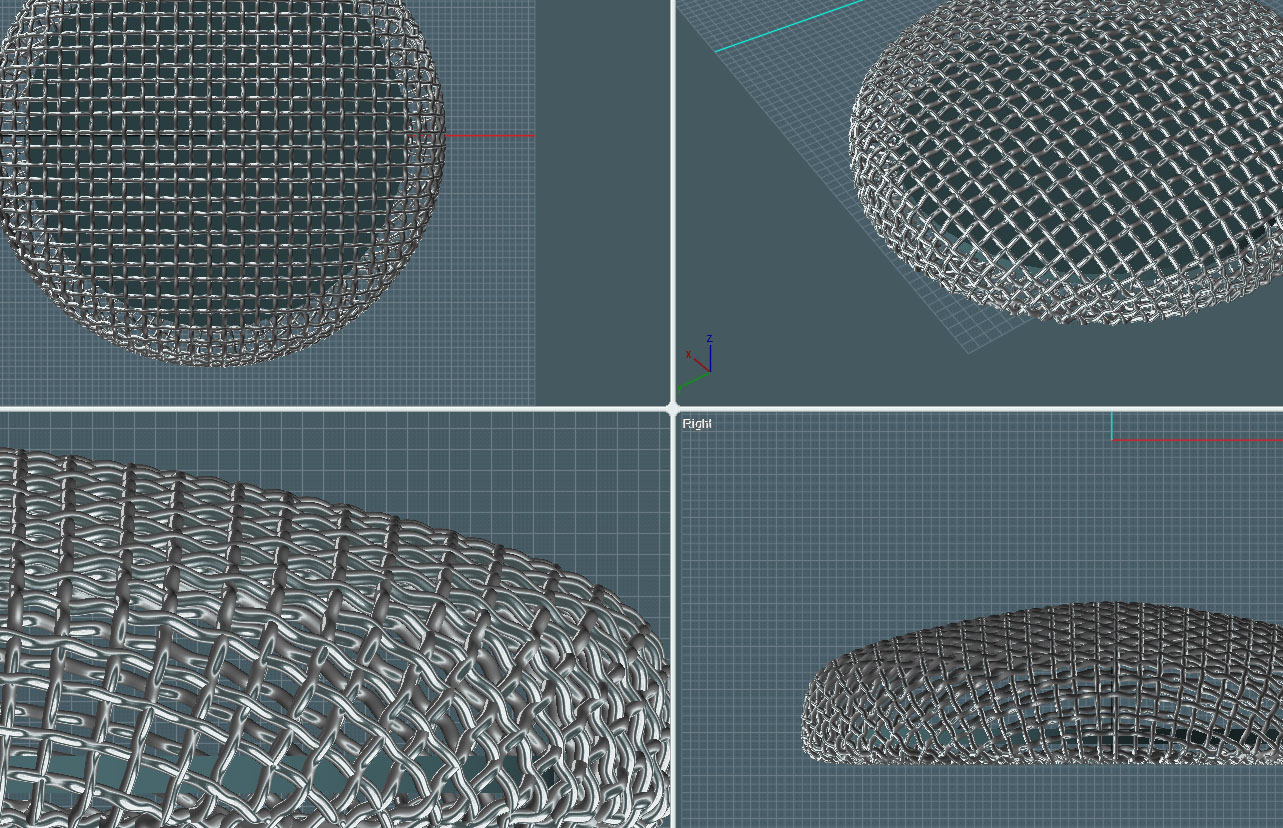
The grid pattern maintains it's relative shape as it is translated across U and V.
The wire object used in each run was made from one single sweep of a circle.
A wavy curve was made for the sweep rail, repeated multiple times,
joined and Rebuilt to form a "seamless" object - so that Flow would work
quicker. As two surfaces of half length take twice as long as one of a
single length.
The wire mesh here is ad-hoc and nothing really lines up like a mesh should, but the process worked well to show.
TO SEE AN EXAMPLE OF THIS TECHNIQUE - SEE THE LOUD-SPEAKER TUTORIAL: http://moi3d.com/forum/index.php?webtag=MOI&msg=4561.1
Please see my tutorial site for other uses of "Flow on a Revolved Surface": http://www.k4icy.com/tutorials_fr.html